
Bank Accounts - Selecting the Currency
Select the Currency for a Bank Account
To set the currency for the Bank Account, click on the Bank Account in the Chart of Accounts. Select  to access the Bank Details.
to access the Bank Details.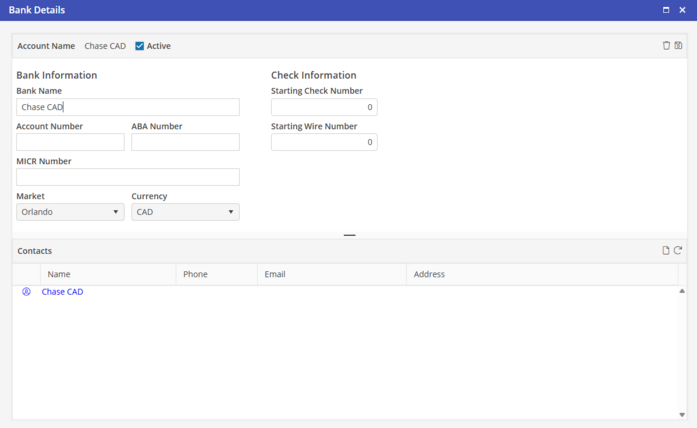
Click into the field to edit within the Bank Details record.
Select the Currency associated with the bank. The Currency will default to the Base Currency of the Database. Only currencies that have had A/P enabled will be available for selection.
If the Bank Information fields are blank, this means that the bank details have not been added. Click  to proceed.
to proceed.Select  to save the record.
to save the record.