
Cancellations Report
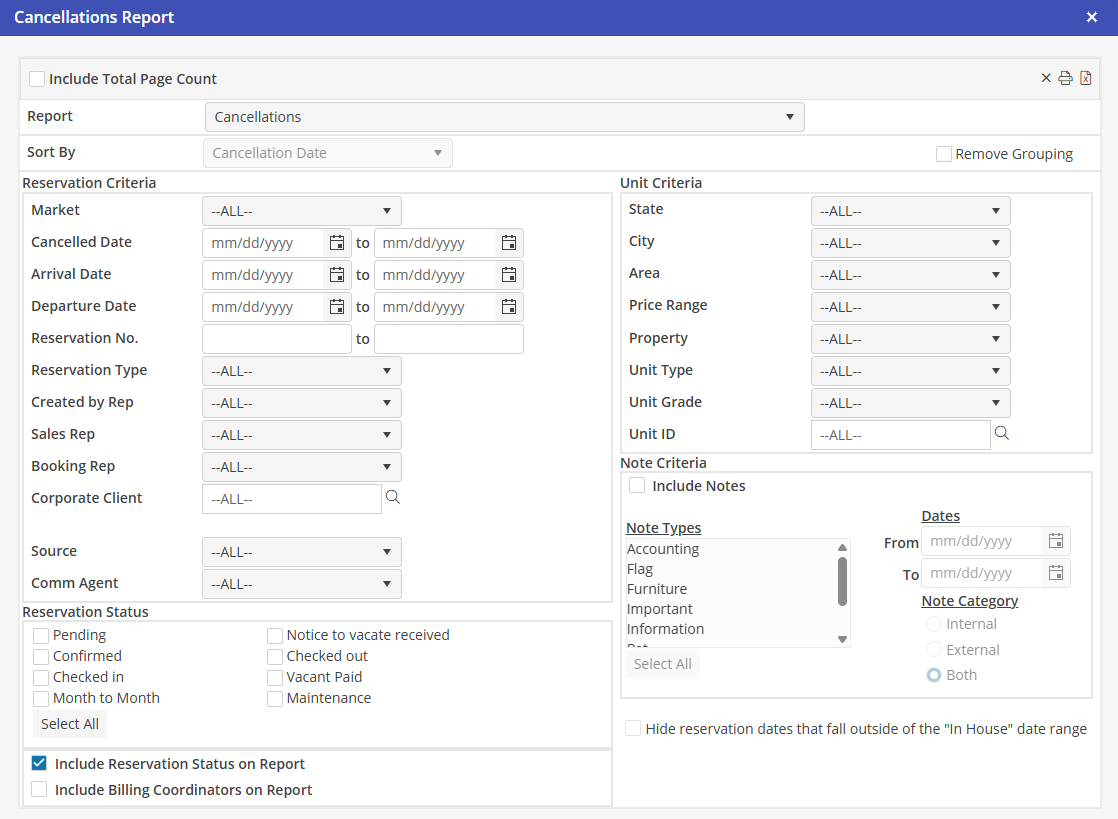
This report is located under Management > Reservations > Cancellations. This report is valuable for tracking cancelled Reservations and disposing of associated Tasks. Report should be used to validate pending A/R or cancellations, as this report displays open AR activity.
Sort By
Select Arrival Date, Departure Date, Created Date, Corporate Client, or Source. Then select ascending or descending order.
Reservation and Unit Criteria
Using all, none, or a combination of the system filters in the Reservation and Unit Criteria sections, the User can create a comprehensive report.
Include Billing Coordinators
If this option is selected, the Billing Coordinator associated with the Cancelled reservation will be displayed on the report.
Reservation Status
Select the statuses to include in the report. To select all, click “Select All”. User must select at least one status for the report to return data.
Note Criteria
Include Notes Populate here to include notes.
Note Types
Select the note type(s) to include.
Dates
Select a specific date range to not include all notes. Leave blank to include all notes.
Note
Category Select the note