
Doorman List Report
This report is located under Management > Reservations > Doorman's List. This very basic report can be given to the doorman (at property) or apartment leasing office monthly. This report displays in house guests arrival, departure, resident name and Unit phone only. We recommend printing one for each property (using the filters as indicated above) as applicable.
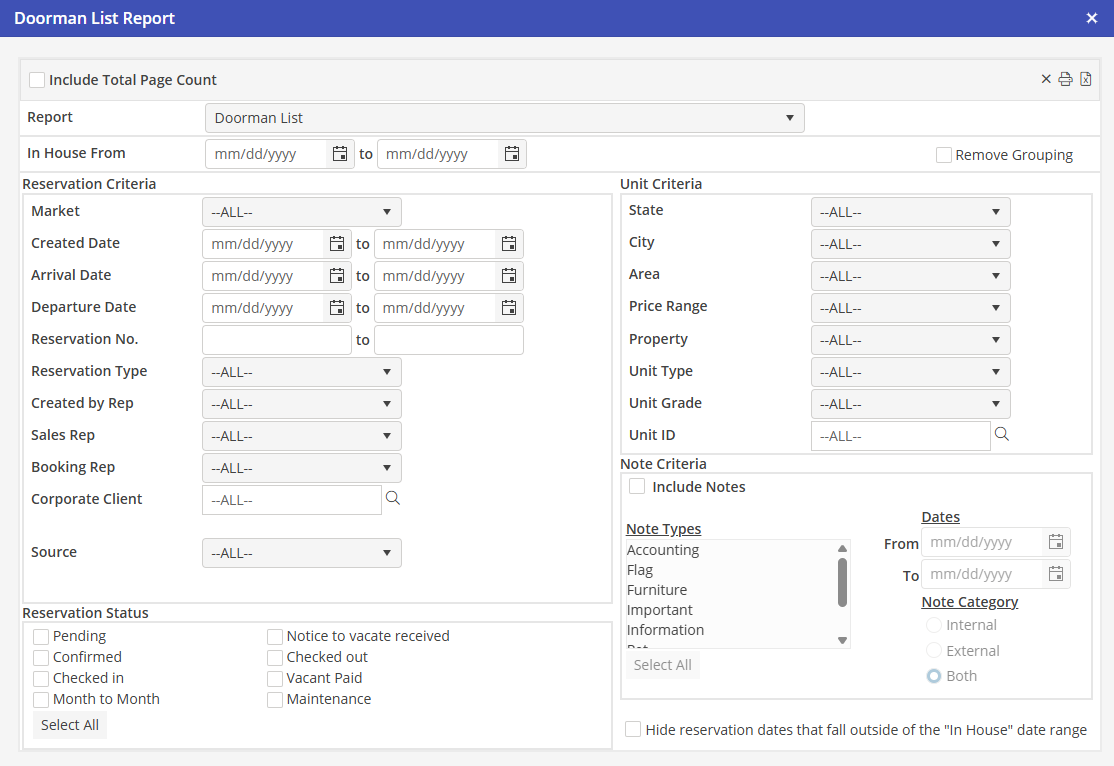
In House From
Choose a From and To date to include Reservations that are in house.
Sort By
Select Arrival Date, Departure Date or Created Date. Then select ascending or descending order.
Reservation and Unit Criteria
Using all, none, or a combination of the system filters in the Reservation and Unit Criteria sections, create a comprehensive arrivals report.
Reservation Status
Select the statuses to include in the report.
Note Criteria
Include Notes Check here if to include notes.
Note Types
Select the note type(s) to include.
Dates
Select a specific date range to not include all notes. Leave blank to include all notes.
Note Category
Select the note category. Internal notes are indicated on Reservations only.