Filters
Filter and sort the information on the schedule board by clicking Options in the header of the Schedule Board.

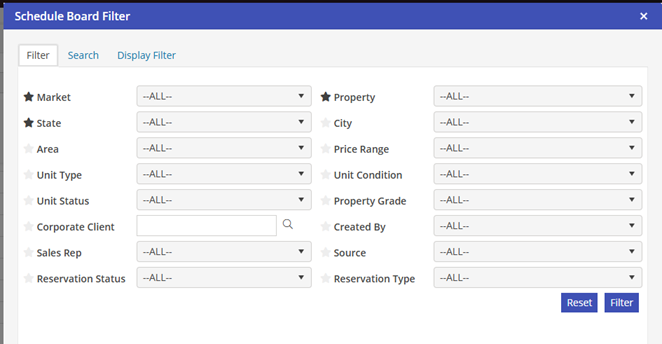
After clicking Options in the header of the Schedule Board, the Schedule Board Filter opens. Within the Filter tab, you may select any combination of filters from the various categories listed. Marking the category with the star indicator saves this as a favorite and will add this filter directly to the schedule board for use without navigating to the Schedule Board Filter screen. Once your selections have been entered, click on Filter in the lower right corner of the screen.