
Gains/Losses
Add a new account “Gains/Losses" to the Chart of Accounts (COA). This account should be a revenue account. If it is necessary to see on the P&L by Unit report, select Operating Expense as the Category.
Setup
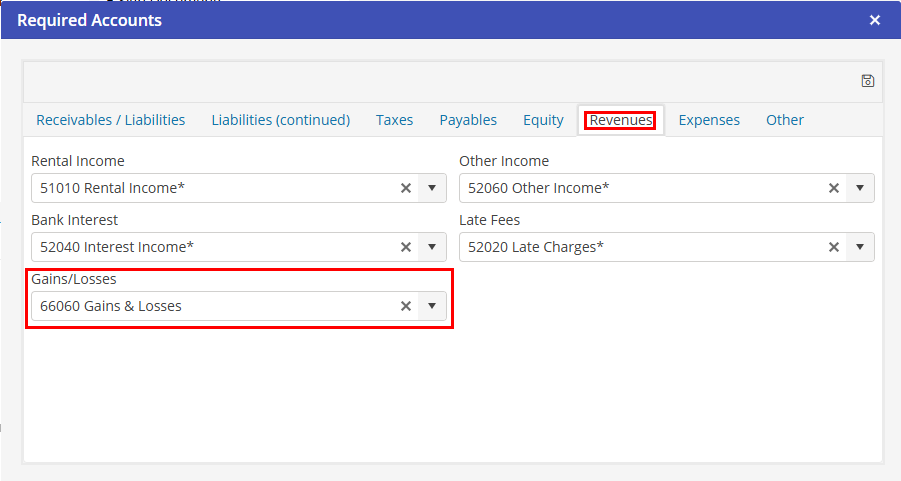
After creation of the Gains/Losses, go to: Settings > Setup > Required Accounts>Revenues>Gains/Losses. Select the newly created account here.
Account Behavior
Based on the exchange rate at the time of posting an A/R invoice versus the exchange rate at the time the payment is posted, this account may be negative or positive depending on whether the posting is a gain or a loss. This account posting is made on the G/L at the time of payment to the invoice.
The only time that a debit or credit would appear in this account for an A/P transaction is through the Currency Gain/Loss Adjustment.