
Payment/Post Directly to Bank and a Payable
This process will allow “group posting” Referral Fee credits per Corporate Client in the A/R > Payment screen and then paying the referral fee to a third party group.
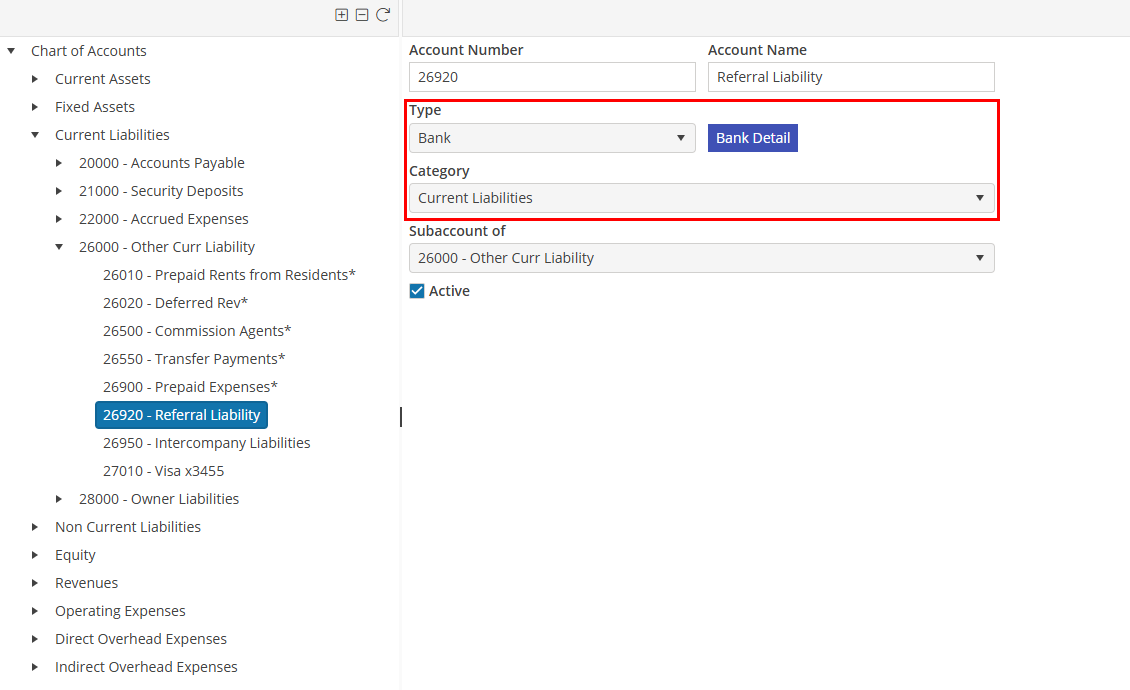
In order to make the Referral Fee Expense account appear in the bank list, the expense account must be selected as a bank type account. Since the balance in this account is a liability, the account Category should be Liability.
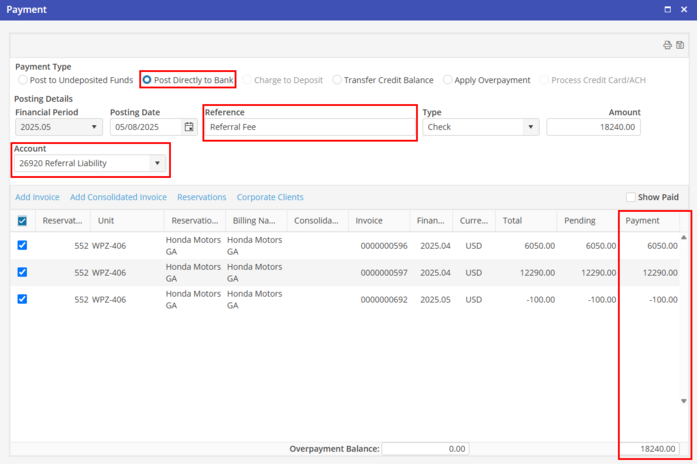
When the Client sends in the check, go to the A/R Payment Screen. Select “Post directly to bank”. Select the Referral Fee account. Select the Corporate Client in the “Search” function.
In the Reference field, type in Referral Fee, or the description that should be shown on each invoice for this transaction.
For each invoice that is included on the remittance advice from the Corporate Client, type in the amount of the Referral Fee for each invoice line.
Since the Referral Fee is posted to a liability account, the ADR will not be affected since expenses are not included in ADR calculations.