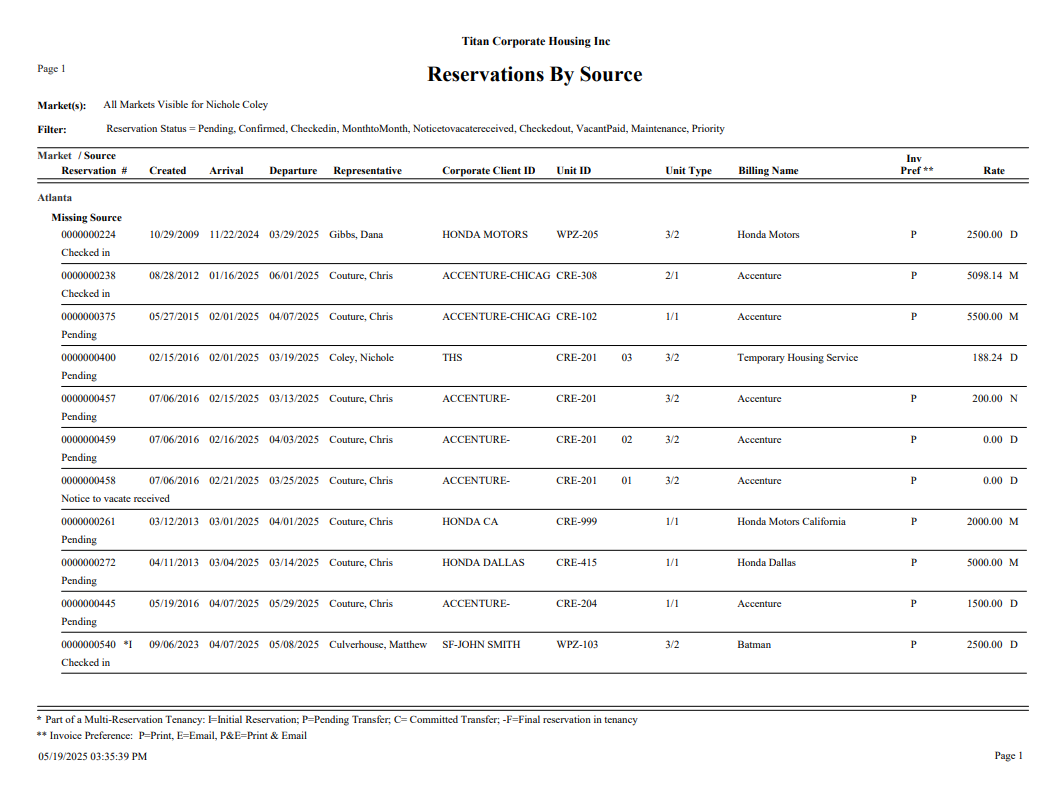
Reservations by Source
This report is located under Management > Sales > Reservations by Source. This report displays Reservations generated by Marketing source (which is defined by the source selected on the Reservations). This report provides the ability to monitor Marketing strategies and source activity. If all Reservation Statuses are selected, a full historical report of Marketing source generation activity may be printed. This report is valuable for Marketing and determining expense versus return.
Sort By
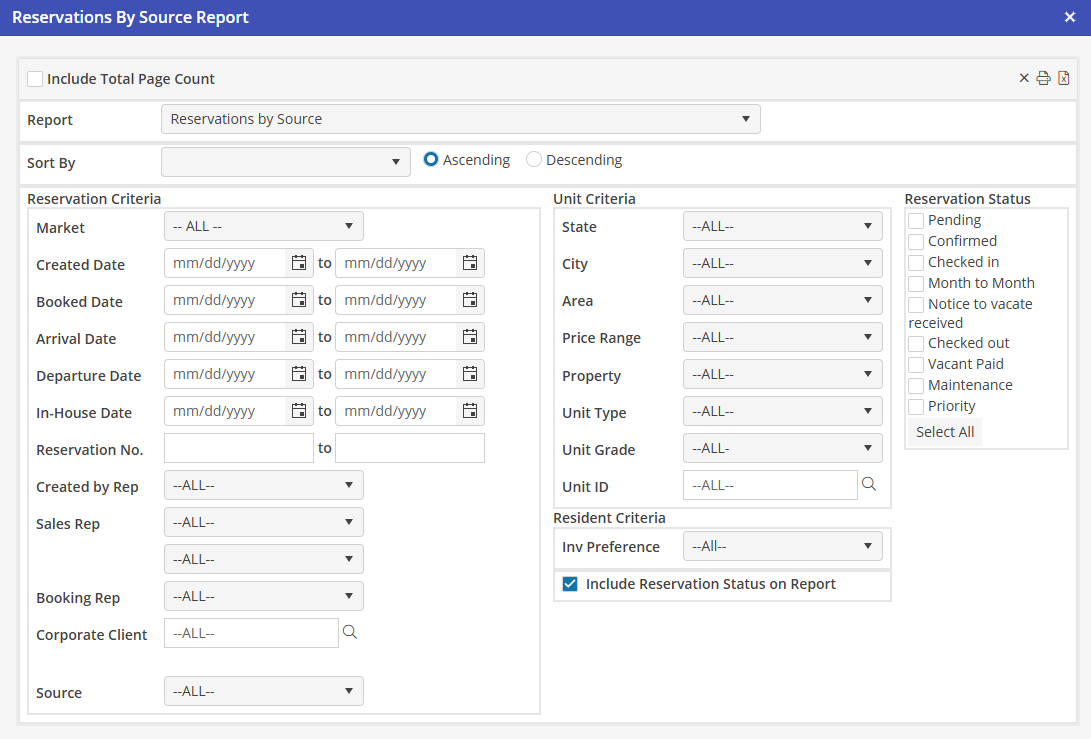
Select Arrival Date, Departure Date or Created Date. Then select ascending or descending order.
Reservation and Unit Criteria
Using all, none, or a combination of the system filters in the Reservation and Unit Criteria sections, the User can create a comprehensive leads report.
Reservation Status
Select the statuses to include in the report. To select all, click “Select All”. User must select at least one status for the report to return data.
Priority Reservations
Priority Reservations will be listed on the Report. Priority Reservations will be notated with “Priority” under the Unit ID.