
Settings
To use the commission portion of the application, the feature must be enabled in Program Settings. Accessed from Settings > Program Settings > Financial > General > Enable Batch Commissions.
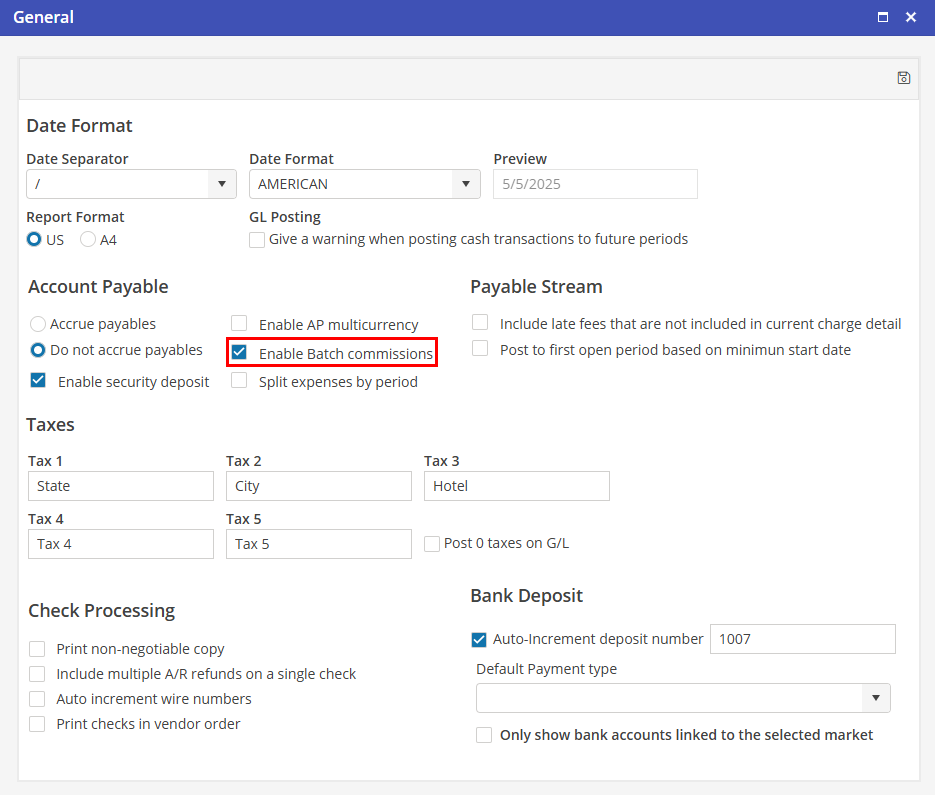
If populated, commissions are automatically posted to a commissions table where they become available for generating payables via the Batch Commissions screen.
If not populated, no commissions are posted, and the Batch Commissions screen is unavailable.