Transfer a Reservation
To transfer a Reservation in Orion, from the Schedule Board follow these steps:
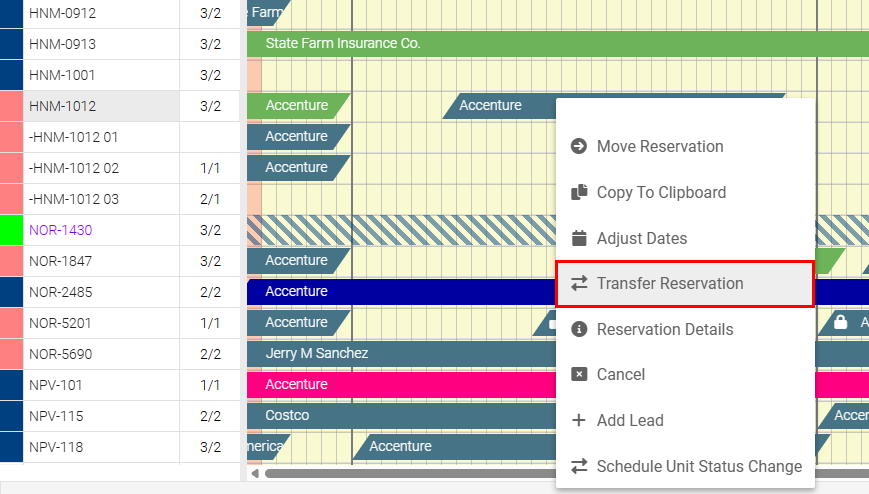
To access the Transfer option, right click on the Reservation, and date, that is to be transferred. Select “Transfer Reservation”. To cancel the Transfer at this point, select “Cancel.”
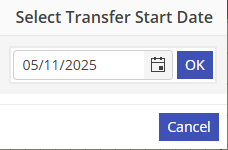
The date that was selected will be displayed. If this is not the correct date, either type in the correct date or select it from the calendar and then select “Ok”.
.
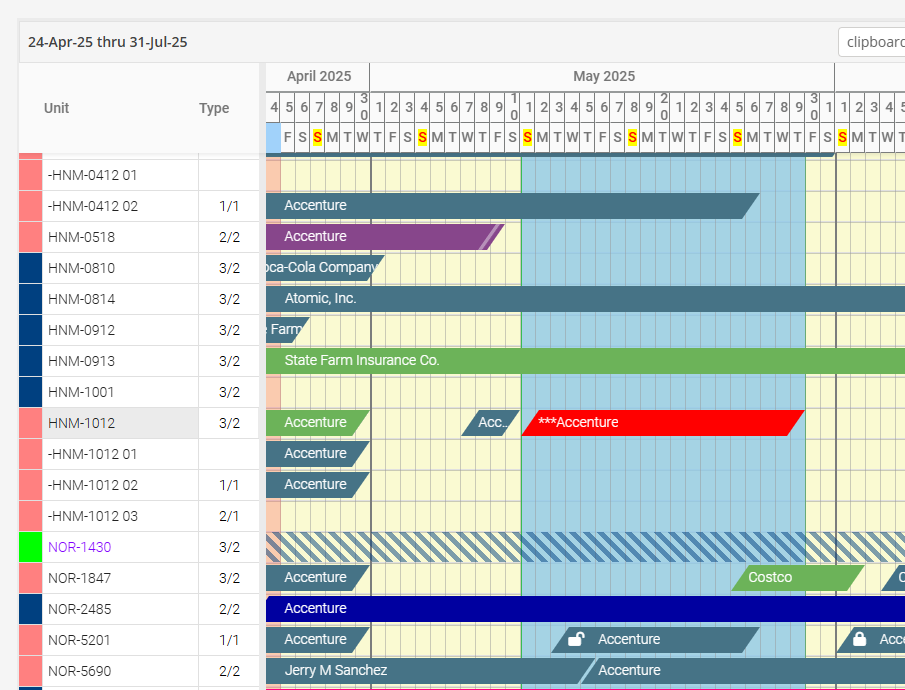
The Transfer portion of the Reservation will be in edit mode color.
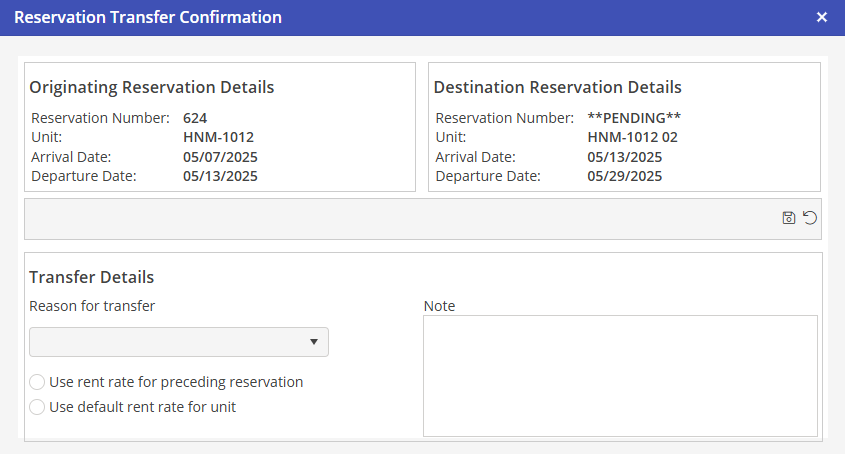
Click on the transfer portion of the Reservation, and drag it to the Unit where the Transfer will be booked. The system will populate the Reservation Transfer Confirmation window, verify the details are correct. A transfer reason, and rate selection must be selected in order to confirm the transfer, the note section is optional. To save the details, hit the  icon. To undo, hit the
  icon.
icon.
icon. To undo, hit the icon.