ACH Reports
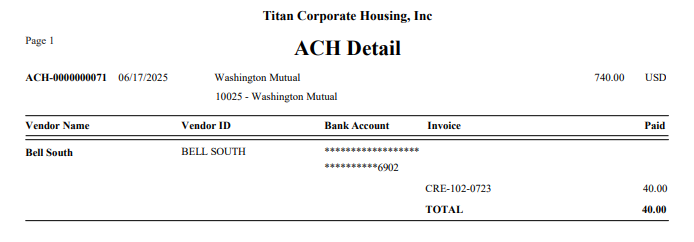
There is an “ACH Detail” option under Banking > Reporting. Clicking will open a screen with a dropdown containing all ACH files generated in descending order by date.
For each date, the bank account and total amount of the file will display. If the file is in a non-base currency, the applicable currency will also be displayed.
The user may select a file and preview, print, or export information for the ACH file.
The Checks and Queued Checks report screens may be filtered for “Payment Type.” The options for this include: --ALL--, Check, Card, Wire, and ACH. Additionally, both reports display the payment type.