
Activities
All Activities will be filtered for the current Users Activity User Defaults. To change filter criteria, select new list options and click  . To clear the search criteria, click
  .
.
. To clear the search criteria, click .For management wishing to review activities for all sales users, set the Activity User Defaults to Type: Blank, Groups: Sales and Assignees: Blank. All Activities will be listed in the Sales Dashboard.
To open up Activities listed in the Sales Dashboard, simply click the Activity.
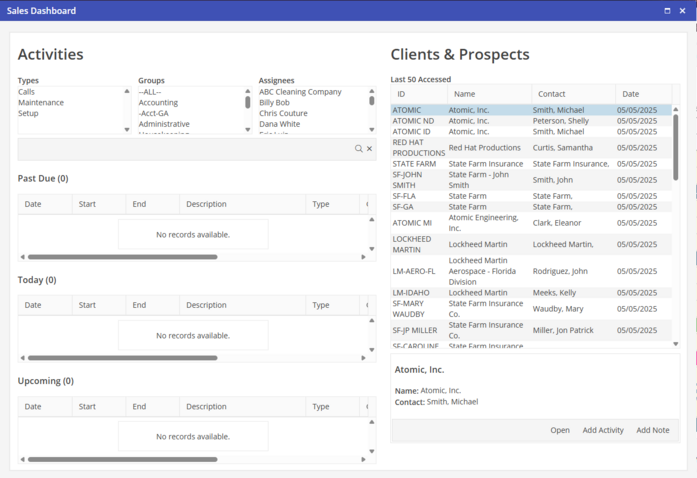
Past Due - Activities that are Past Due will be listed. Until the Activity is marked completed, it will continue to be listed.
Today - All Activities that are scheduled with today’s date will be listed. Once the Activity is marked complete, it will no longer be listed in the Today view.
Upcoming - Upcoming Activities will be listed. Only Activities that are scheduled within five days of today will be listed.