Prospects
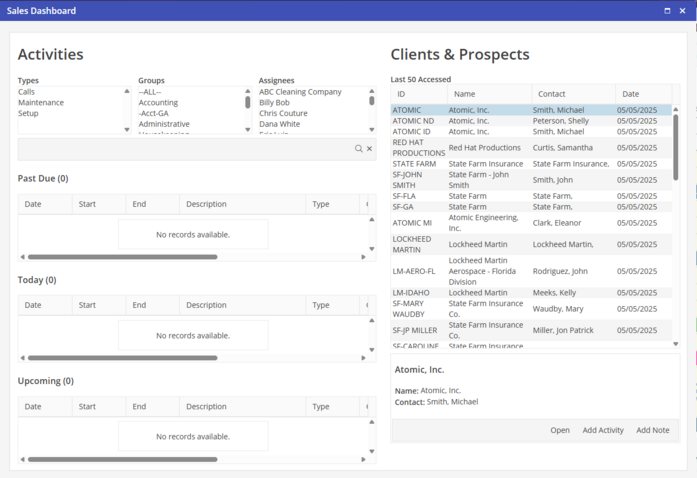
View Prospect information on the Clients & Prospect side of the Sales Dashboard.
Last 50 Accessed - The last fifty Prospect records that have been edited by the logged in User are listed. This includes changes to any of the information or the addition of Notes or Email.
Open - Clicking  will access the selected Prospect record. Double clicking directly on the Prospect will also open the Prospect record.
will access the selected Prospect record. Double clicking directly on the Prospect will also open the Prospect record.Add Activity - To add an Activity to a selected Prospect, click  .
.
.Add Note - To add a Note to a selected Prospect, click  .
.
.