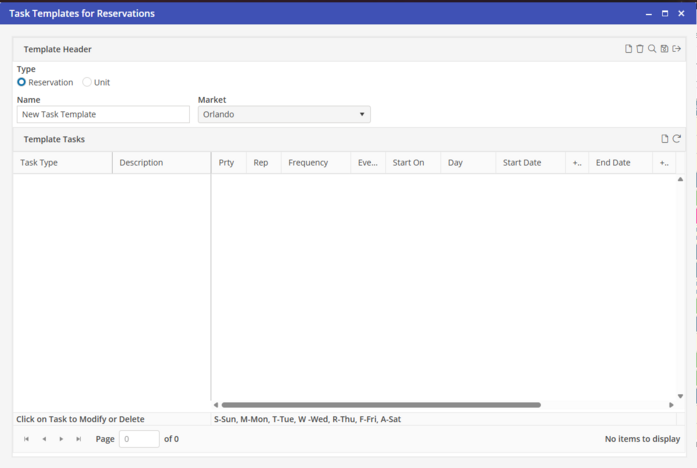
Add a Task Template
The Task Template Header is created first, and then Tasks are added. To add a Task Template, go to Tasks >Task Templates.
Enter in the Name for the new header, and associate it with a Market. If each Market will contain the same Task Templates, the Template may be copied after Tasks are added and the Market changed.
Click  to save the Template Header.
to save the Template Header.