
Add Corporate Client Visibility with Document Visibility Enabled
If Visibility is enabled for Document Templates, use the following steps to add Corporate Client Visibility.
Search for the completed Document. On the top right of the Corporate Client tab, click  .
.
. If the Document Template is associated with Markets and/or Properties, the following prompt will be displayed:
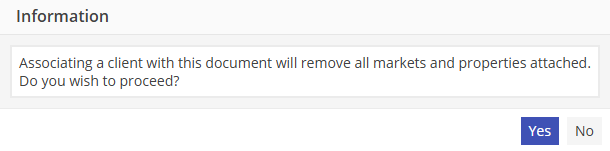
Select  to be returned to the Document Templates screen with no changes to the current template.
to be returned to the Document Templates screen with no changes to the current template.Select  to open up the Corporate Client search screen. Selecting Yes removes all Markets and Properties from the Document Template, as a document that is associated with a Corporate Client cannot contain Markets or Properties. This will enable the document to be retrieved from any reservation that contains the Corporate Client regardless of Market or Property.
to open up the Corporate Client search screen. Selecting Yes removes all Markets and Properties from the Document Template, as a document that is associated with a Corporate Client cannot contain Markets or Properties. This will enable the document to be retrieved from any reservation that contains the Corporate Client regardless of Market or Property.Double click on the Corporate Client that should be associated with the Document Template. The Corporate Client is now associated with the document.