
Commission Agent Defaults
After all Commission Agent details have been entered, the Commission Agent Defaults screen will appear.
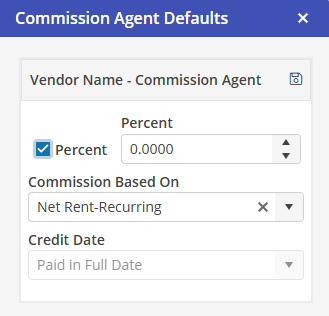
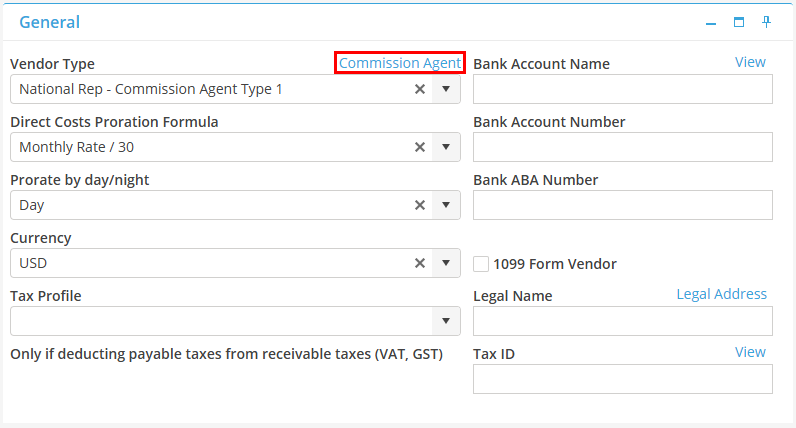
Commission Agent Defaults may also be edited from the Commission Agent record by selecting 
Percent
Populate the Percentage indicator if the commission type is a percentage type. If it is a dollar amount, un-populate this indicator.
This is the default commission type for the Commission Agent. This may be changed on a per reservation basis if the user has Security Profile access to “Edit Commission Agent”.
Percent/Amount
Populate the Percentage or Amount in this field.
This field will default to the default Percentage/Amount saved on the Commission Agent record. This may be changed on a per reservation basis if the user has Security Profile access to “Edit Commission Agent”.
When a rate type of percent is selected, the amount entered may not be greater than 99.99.
Commission Based On
Currently the only option is “Net Rent-Recurring”. The commission will be based on rent charges only.
Credit Date
Currently, the only option is “Paid in Full Date”. The commission will be displayed in the Batch Commissions screen for posting only when the invoice is paid in full.