
Convert to Client
Choose this option to create a Corporate Client from the Prospect record. Contact information as well as all Prospect information will be transferred to the newly created Corporate Client record.
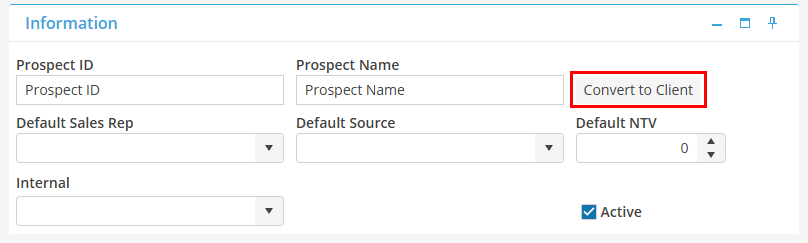
To convert a Prospect to a Corporate Client, click the button to Convert to Client button in the Information Card.
A dialog box will state “Converting to Corporate Client…Click ‘Yes’ to continue.”, choose Yes. The proposed Corporate Client ID will be listed. The Client ID may be changed at this point to anything that is not currently in the Database. Upon completion of the process, the User will be taken to the newly created Corporate Client record.