
Creating a Lead from the Schedule Board
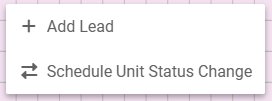
From the Schedule Board, right click where you would like the lead to be placed, and select Add Lead. The Lead will default to the selected Unit and the Arrival Date that the Lead was initiated from.
A new Lead record will now be displayed. Enter in the information, and select 'Save' in the left hand menu. The Lead has now been successfully created.