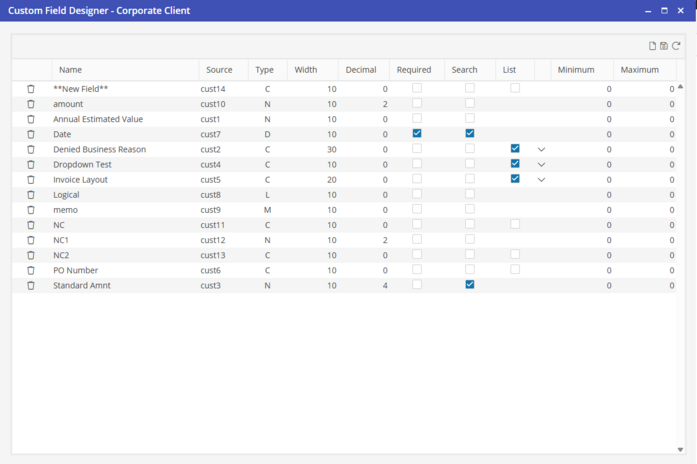
Custom Fields Designer
All Custom Fields are added to the Custom Fields Designer first. To access the Custom Fields Designer from the Custom Fields screen, click the Custom Fields Designer button.

The Custom Fields Setup screen allows additions, deletions or changes to Custom Field descriptions and their properties. These are the fields that will display in the 'Source’ list when adding a field. The Field Width, Decimal, Required, Search, and list may be selected at this point.