
Display
The Schedule Board may be filtered by Priority Reservations by using the Display options; No Priority, Include Priority or Only Priority.
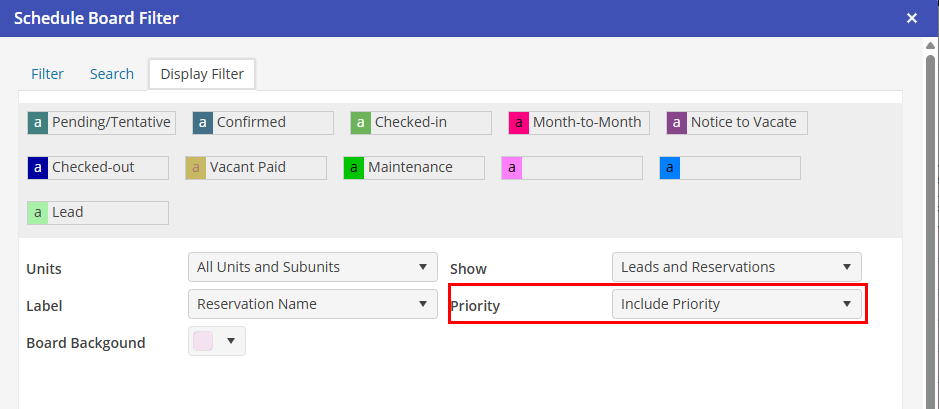
When the Schedule Board is filtered for Only Priority Reservations, the right click Move option will be disabled on the reservation menu.
The move option will provide the same functionality for Priority Reservations as it does for regular reservations. Activity log will contain all entries the Priority Reservation, all Reservation Tasks will move to the new Unit, and the Revenue will move to the new unit if either "Automatically move revenue to new unit(Journal Entry)" or “Automatically move all financial postings to new Unit” setting is populated in Program Settings.
It is not possible to move either a Priority Reservation or a Reservation into a Virtual Unit on the schedule board. There can only be one Priority Reservation on a Virtual Unit.