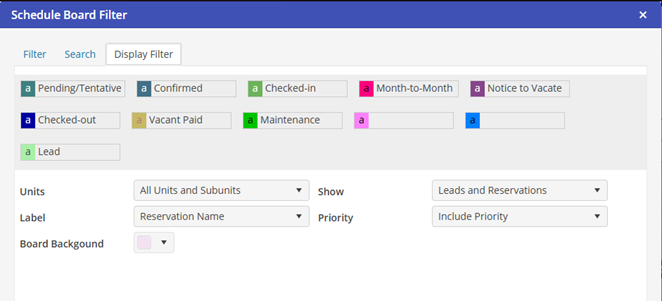
Display (Filter)
To select Unit and Reservation viewing preferences, click on Display Filter tab.
· Units: displays Active Units, Active Units and Subunits, Inactive Units, Inactive Units and Subunits, All Units, and All Units and Subunits
· Label: indicates Reservation caption on Schedule Board. Choose Reservation Name, Reservation Number, Resident Name, or Resident Code.
· Show: displays Reservations, or Leads and Reservations
· Priority: displays No Priority, Include Priority, or Only Priority options.
· Board Background: Allows the user to customize the background color of the schedule board.
· Color Blocks represent the color legend for the Reservation status.