
Escalation
Access the below settings on the Corporate Client Work Orders Card.
Escalation
Escalation Levels may be downloaded per Corporate Client and per parent Corporate Client. Escalation Levels from parent Corporate Clients will automatically be used for the associated children Corporate Clients unless there are Escalation Levels on the children Corporate Clients.
Download Escalation Levels for a Work Type
To download an Escalation Level for a Work Type, select the Work Type. Click  . Clicking Download will download the Program Settings Default Escalation Levels for the selected Work Type. Additional Escalation Levels may be added or edited as necessary. To Download Escalation Levels for another Work Type, repeat the process selecting a new Work Type.
. Clicking Download will download the Program Settings Default Escalation Levels for the selected Work Type. Additional Escalation Levels may be added or edited as necessary. To Download Escalation Levels for another Work Type, repeat the process selecting a new Work Type.Create an Escalation Level
Select  to create a new Escalation Level.
to create a new Escalation Level. 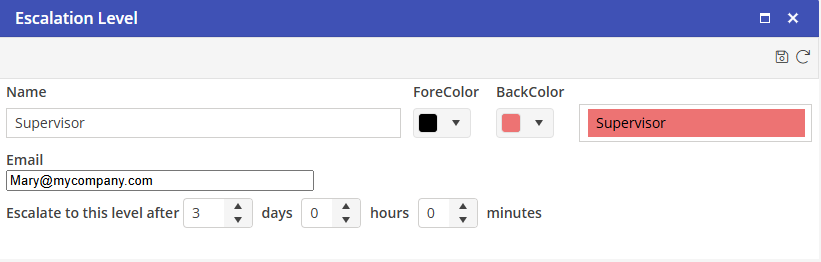
Type the name of this Escalation Level. Select a color that will be associated with this Escalation Level. Type the email address of the User who will be emailed if the open Work Order reaches this Escalation Level. Select the time to associate with this Escalation Level.
Select  to save the Escalation Level.
to save the Escalation Level.Edit an Escalation Level
Click the Escalation Level to open the Edit box.
Delete an Escalation Level
Select  to delete an Escalation level.
to delete an Escalation level.