
Group Authorizations
Utilize the Group Authorizations screen to post multiple ACH or Credit Card Payments at a single time. This can be found under Credit Cards/ACH > Group Authorization.
In order for Invoices to appear in the grid, the ACH Consent on the Resident’s ledger must be indicated as “Recurring”.
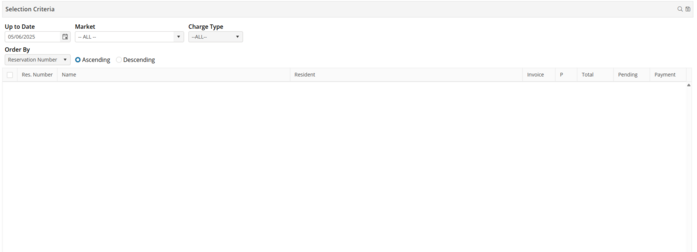
Up to Date - Select an Up to Date if necessary. The Up to Date defaults to the current date when then screen is open. This indicates that all invoices which are due less than or equal to this date, will be returned in the screen.
Market - Select a Market if desired.
Charge Type - Select a specific Charge Type if desired. The Charge Types will not be listed in the grid.
Click  if additional filter criteria has been entered. All invoices with a balance due will appear in the screen.
if additional filter criteria has been entered. All invoices with a balance due will appear in the screen.Select the invoice(s) that you would like to process for payment, type an amount in the Payment column, or choose  to select all invoices.
to select all invoices.
Click  to post the selected payment(s).
to post the selected payment(s).