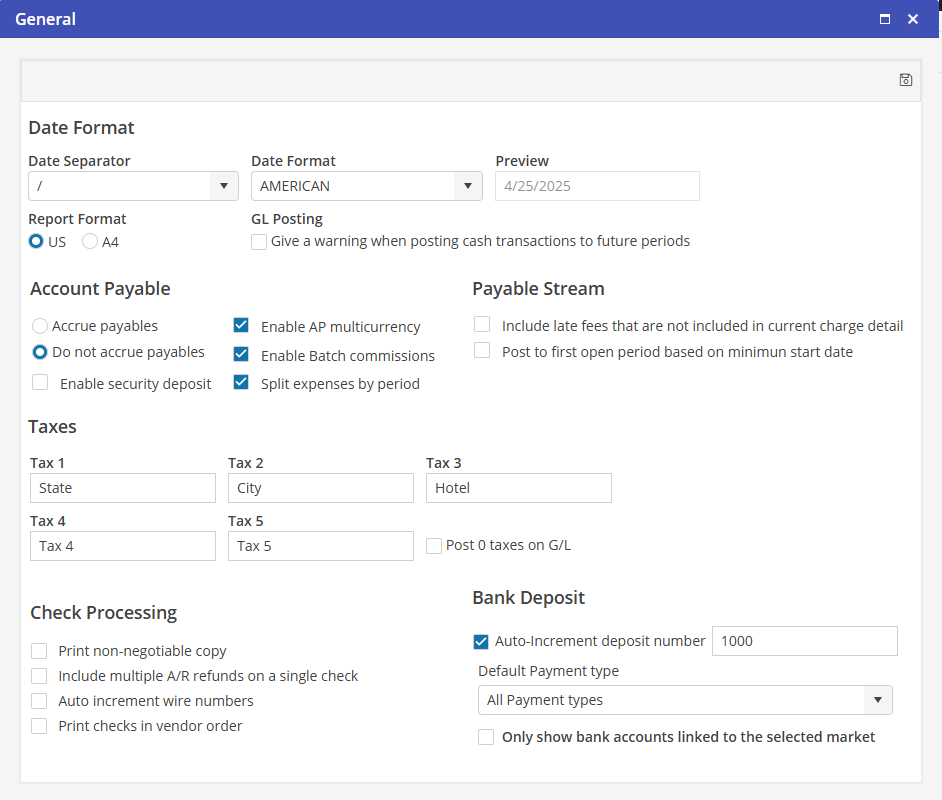
Name the Tax Types
Name all five (5) Tax Type Defaults, even if they will not be used (example: enter “Tax 5” for Tax 5 if it’s not being used). These would be the most common Tax Names for Taxes charged within the areas in which business will be conducted.
This label name will appear on the resident invoice for the associated Tax Type. Located in Settings > Program Settings > Financial > General > Taxes.
These Tax Type Default Names may be overwritten on the Tax Profile itself, if needed. For example, there is no “Hotel” Tax in a specific area. The Hotel Tax Type may be overwritten as “County” at the Tax Profile level.