Paying Expenses on Behalf of the Owner
The Unit ID should always be selected on any Owner postings.
Show on Owner Statement – One Time
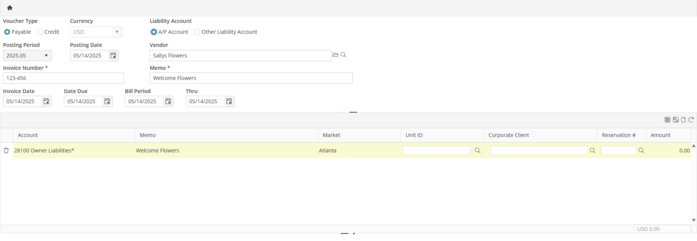
To create a one time payable to a service provider, a manual Payable is created.
Select the Vendor that provided the service.
To make this payment appear on the Owner Statement, the Owner Liability account is selected instead of the normal expense account selected on the Vendor record.
The Unit ID must be selected; this enables the display of the expense on the Owners Statement.
Upon posting this Payable, the Owner Liability amount in the Owner Liabilities account will be reduced by the amount of the payable.
Show on Owner Statement - Recurring
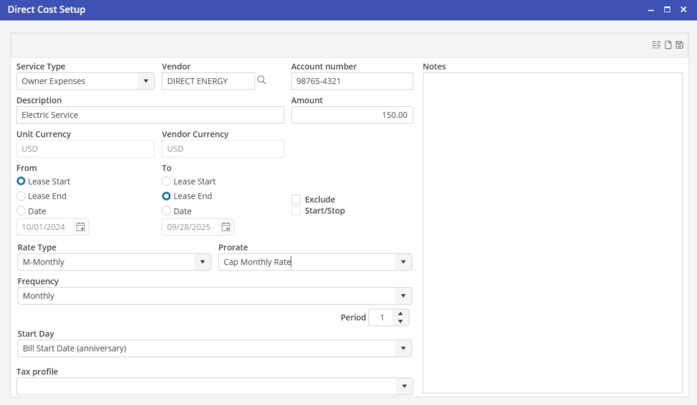
For payments that occur automatically monthly, such as electric, add UDC lines with the Owner Expenses Service Type to Owner Units.
A single UDC Owner Expense line should be added for each expense that will be paid on the Owner’s behalf. This will show the expenses on the Owner Statement. If the expenses should not be shown on the Owner Statement, use the “Don’t show on Owner Statement and send a separate invoice” process.
Service type - Select “Owner Expenses”.
Vendor - Select the Vendor associated with the service.
Amount - This amount should be the monthly expense amount paid to the service Vendor. This amount can be changed on the Batch Posting process if adjustments need to be made.
The Recurring Expenses are accessed from the Accounts Payable Batch Posting process. Recurring Expenses UDC lines are optional.