
Rent Reconciliation
Rent Reconciliation Report can be found by going to Accounts Receivable > Reporting > Rent Reconciliation. This report is used as an audit tool to compare what was invoiced for Rent and posted to the general ledger against what was expected to be invoiced for rent for a selected financial period. Using this report prior to closing a financial period gives the auditor the opportunity to fine-tune and correct errors that may negatively impact the financial statements.
This Report returns all Reservations that contain Bill From and Bill To dates within the Financial Period that the Report is run.
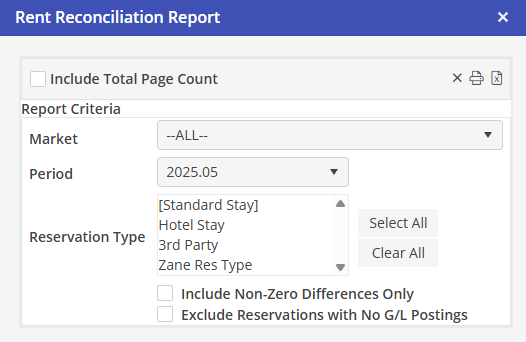
The report may be filtered by the following options: Market, a single Financial Period and any combination of Reservation Types.
The two options for report details Include: