Report Filters
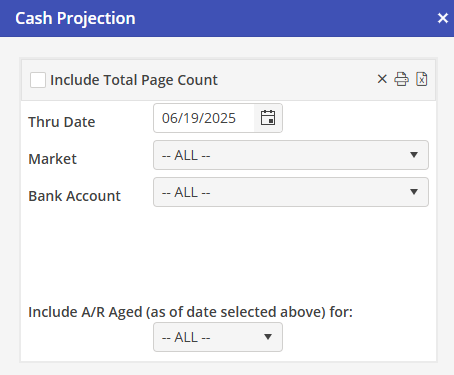
Thru Date : This Report displays details for future dates, and not the past. Therefore, dates prior to the date the Report is run are not allowed. The date will default to the day the report dialog box is open. Select a date as necessary.
Market : Use the default “All” option, or select a Header Market or Posting Market.
Bank Account : Use the default “All” option, or “Multi-select”. If the “Multi-select” option is selected, the User may select one or more Banks from a list of all banks in the system.
Bank accounts that are setup as liability accounts for company credit cards will be available in the Bank Account list. These are typically not selected. If these accounts should not be included, ALL cannot be used as a selection.
Include A/R Aged (as of the date selected above) for : This option allows the User to only include A/R that they can reasonably expect to receive by the projection date. As the A/R ages, the chances of collecting are reduced. Select ALL (Default), 1-30, 31-60 or 61-90