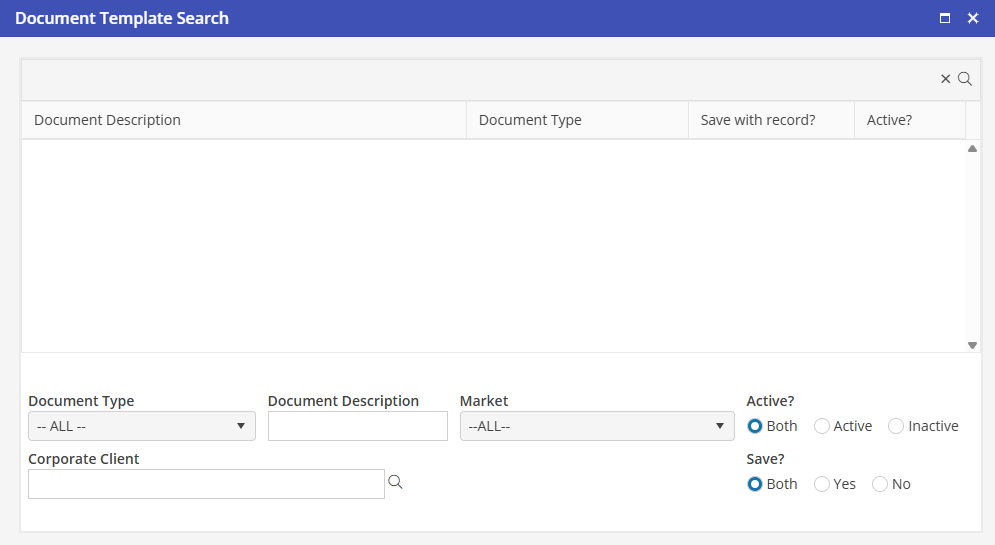
Search for a Document
To search for a document template, click  from the Document Templates menu.
from the Document Templates menu. Document Type
Select the destination in the program where the template is available to use. Options include: Reservation, Corporate Client, Property and Unit.
Document Description
Type any portion of the name of the Document.
Market
If visibility by Market is enabled, a Market may be selected here.
Corporate Client
Select a Corporate Client here for all Documents associated with a specific Corporate Client.
Active
By default the “Both” option is selected. To return only active Documents, select Active. To return only inactive Documents, select Inactive.
Save
By default the “Both” option is selected for Save with Record. To return Save with Record Documents, select Yes. To return only Non-Save with Record Documents, select No.
After entering any combination of search criteria, click  to review the search results.
to review the search results.Double click to access a Document Template.