
Security Deposit Refunds Report
Located in Accounts Payable > Reporting > Security Deposit Refunds, this report displays outstanding Security Deposits due to Residents.
Only Security Deposits paid in full will be included.
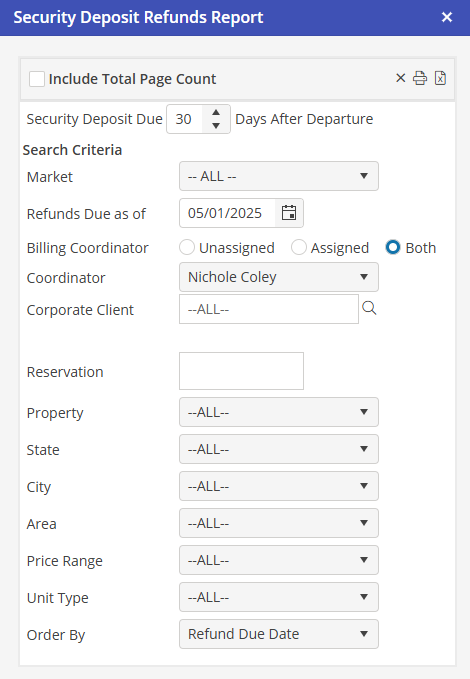
Security Deposits Due - Select the number of days that the deposit is withheld after the Resident vacates.
Search Criteria - Choose the Market and Unit Criteria, if necessary. The “Refunds Due as of” will default to today.
Billing Coordinator Options - Unassigned will return Security Deposits taken from Reservations that do not contain a Corporate Client or contain a Corporate Client that does not have a Billing Coordinator. Assigned will return Security Deposits taken for Reservations that contain a Corporate Client that has the selected Billing Coordinator saved on the Corporate Client record. Both will return both of the previous scenarios.
This option will only be available if “Enable Security Deposit Refund by Bill Coordinator” is populated in Program Settings > Financial > General.
Billing Coordinator - Select the Billing Coordinator.
Order By - Defaults to “Refund Due Date”. Additional options are; Reservation and Resident.