Statistics Calculations
Comparative Statistics provides the following statistics in two reports, one containing the base data used to calculate statistics, and one containing statistics calculated from that base data.
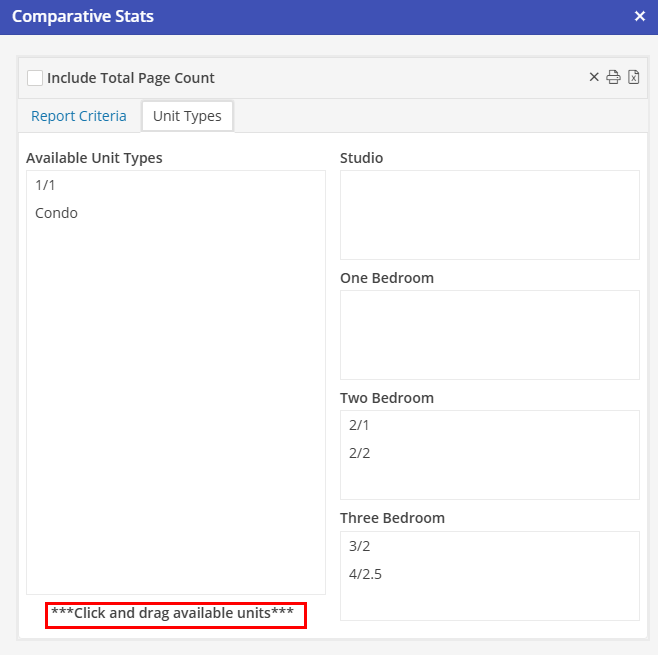
Users must first “map” their specific unit types to these types (i.e. the types 2 BR / 1 BA and 2 BR /2 BA would both map to “two bedroom”) in the “Unit Types” Tab. This can be found under Management > Financial > Comparative Statistics.
In order to map the Available Unit Types, click on the unit type and drag to the appropriate category.
Comparative Stats are provided for the following unit types:
All unit types combined(Total)
Studio
One Bedroom
Two Bedroom
Three Bedroom