Transfer Information Grid
To access any associated Reservations, click on the Reservation Transfer button within the Information Card of the original OR transferred Reservation. The Transfer Information Grid is available for viewing as long as there are Transfers associated with this Reservation. Once associated Reservations are cancelled, they will no longer be associated.
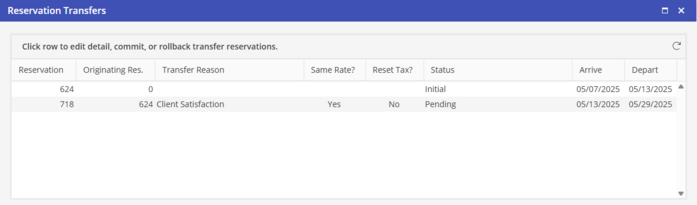
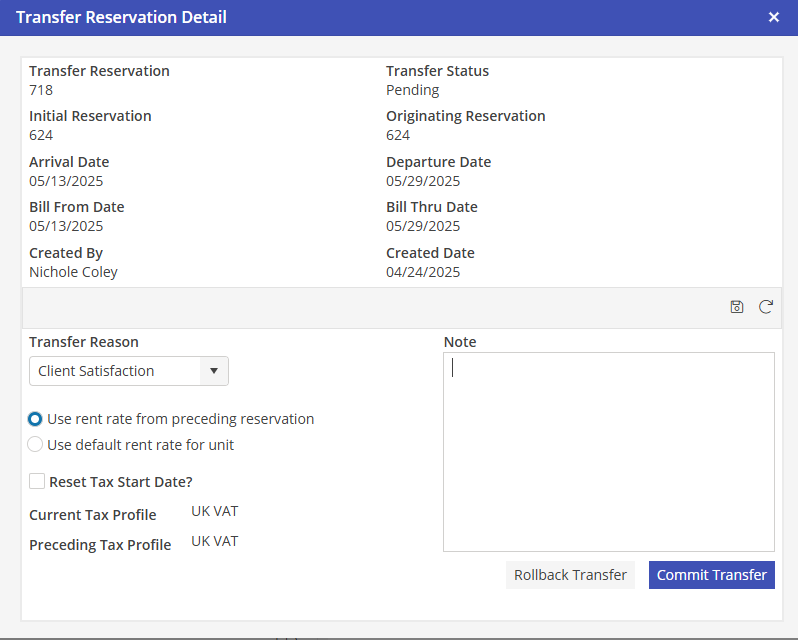
Double clicking on any Reservation line except the first will display the Transfer Reservation Detail screen.