Word Settings
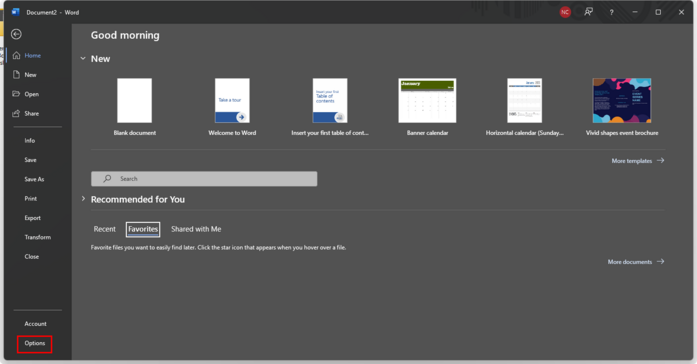
In the upper left-hand corner of Word, click “File”.
Click “Options” in the lower left-hand corner.
-
Click on “Quick Access Toolbar”
2. Under Choose commands from, select All Commands.
3. Select the option “Mail Recipient [Send to Mail Recipient]” command.
4. Click  to move the command to the Quick Access Toolbar.
to move the command to the Quick Access Toolbar.5. Click  to close the Word Options screen.
to close the Word Options screen.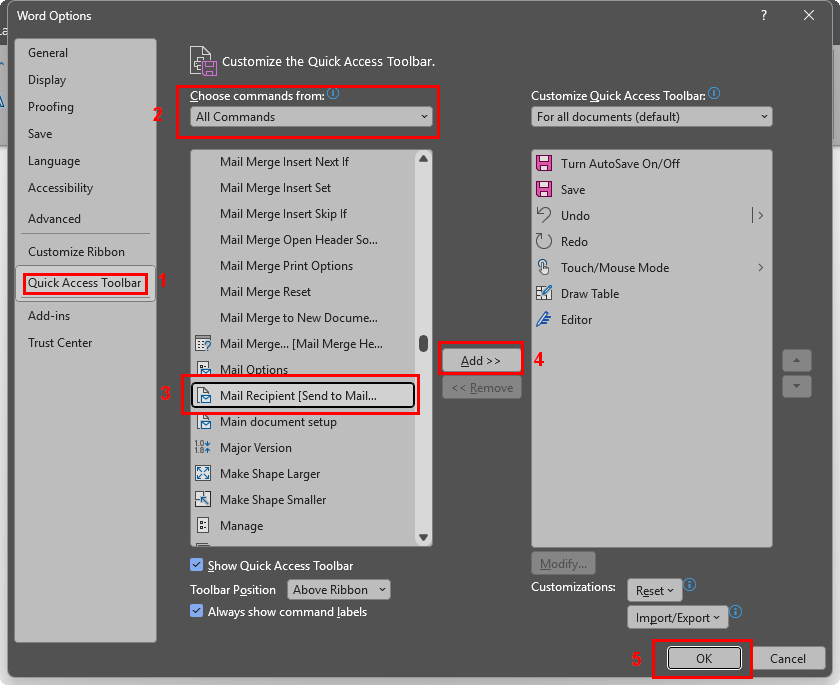
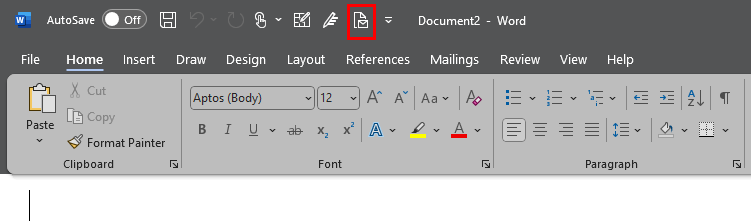
The Send to Mail Recipient option will now be visible in the Quick Access Toolbar.