
Add a Hyperlink to a Document
If a Unit custom field contains a link to the Property details, use the following to create an active link on the document for the Resident to click.
Place the merge field that contains the hyperlink in the Oscar document template. Highlight the entire merge field on the page. Right click and select the Copy option or press “Ctrl” and “C” at the same time to paste.
Right-click again where the hyperlink should be placed and select  . The screen below will open.
. The screen below will open. 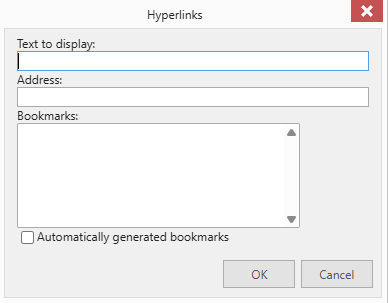
The “Text to display:” will populate with what was typed in the address bar.
In the address bar type http://(paste what was previously copied here)/
Click  .
.
.