
Delete Returned ACH Transaction
To delete a returned ACH transaction, click on the Client Name / Tenant Name from the grid in the Bank Deposit screen.
The User will be prompted with the following message:

Upon clicking “Ok”, the User will be taken to the associated invoice.
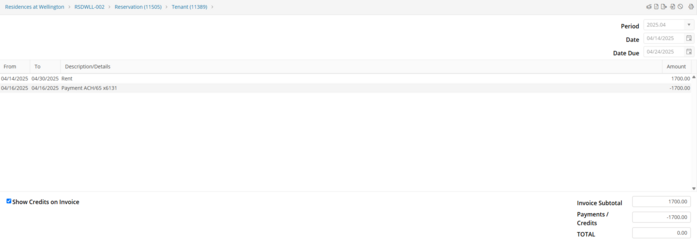
Double click on the returned ACH payment line on the Invoice.
This will open the Payments screen. Select the returned ACH payment, then  to delete the payment.
to delete the payment. 
After clicking “Delete” the User will need to confirm the deleting of this payment by clicking Yes.

The Reservation Activity Log will record that the Tenant Balance has increased due to the deletion. However, there will be no indication that the User deleted the returned ACH payment.
