List
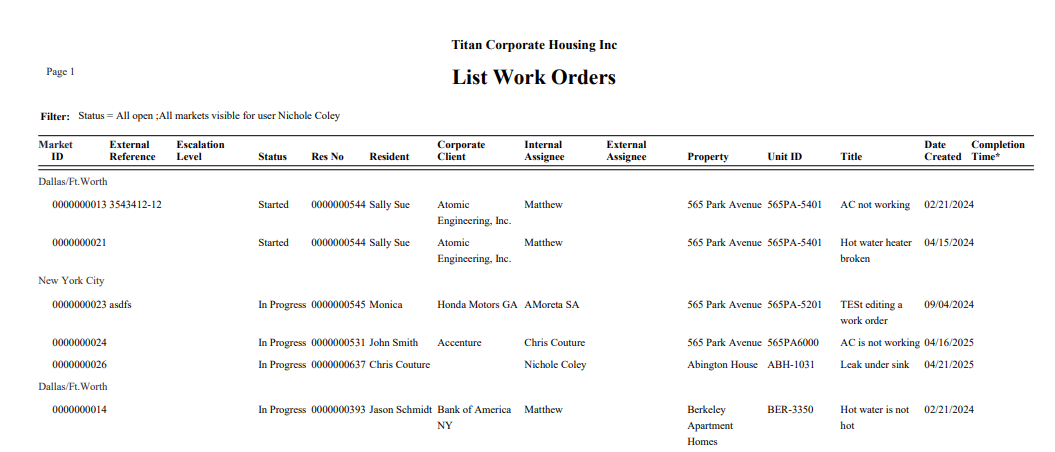
The List report is similar to the report generated from the Work Order Management screen. Use this report for team members to follow up on their open Work Orders.
Report
Select List from the Report Drop down
Sort By
Select a Sort By option: Corporate Client, Date Completed by, Date Opened, Reservation, or Work Type.
Select any other Filters as required.
The data in the Work Order Management screen may be Printed or Exported by clicking the respective icon in the upper right hand corner.
The List report contains the pertinent information required to follow up on Work Orders.