Summary
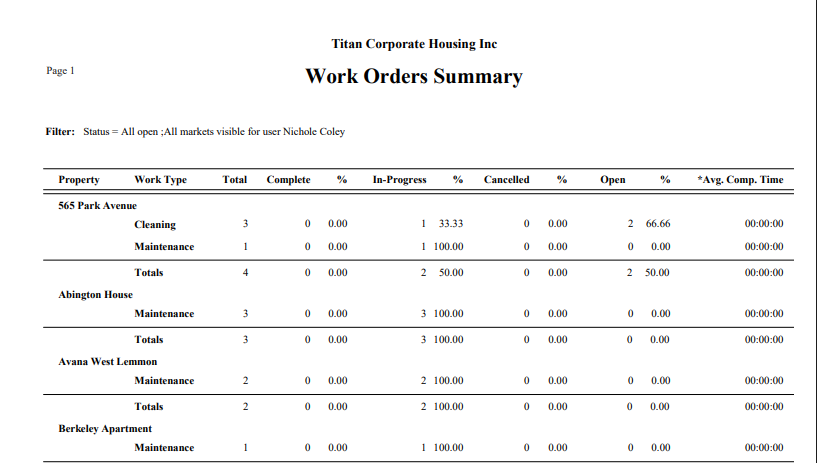
Use the Summary report to determine if Work Orders are being completed in a timely manner. Additionally, this report may be given to Corporate Clients to verify that Work Order are being completed by selecting a Corporate Client. Use this report to determine the amount of time that a Property takes to respond to a Work Order to determine if additional Units should be secured at the Property by selecting a Property Name.
Report
Select Summary from the Report Drop down
Select any other Filters as required.
The data in the Work Order Management screen may be Printed or Exported by clicking the respective icon in the upper right hand corner.
The Work Order Summary report groups by Property and then by Work Type. The Totals are by Property and Grand Totals for all Properties.