
Sort Order
Filter by any of the Work Order Management Filter options available. When the Work Order Management screen is opened from a Reservation, Unit or Property, the associated record filter will automatically be in place. The Work Order Management screen may be maximized so that more information may be visible without scrolling.
Once the filters have been entered, click  to show the results in the grid.
to show the results in the grid.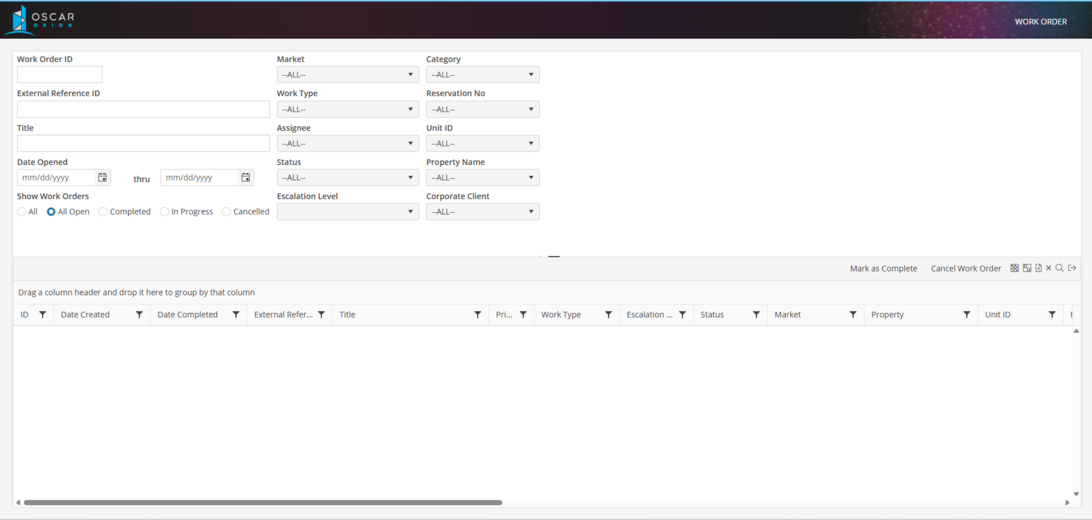
Sort By
Sort by any of the following columns by clicking on the column header name: ID, Date Created, Date Completed, External Reference, Title, Priority, Work Type, Escalation Level, Status, Market, Property, Unit, Reservation No, Corporate Client, Resident, Contact, Internal Assignee, External Assignee, Created By, Completed By, Canceled By, Date Canceled, Completion Time, and Category.
Access Work Order
To access a Work Order, double click on the associated row in the grid.
Access Record
To Access the Unit or Reservation associated with a Work Order, click on the Unit ID or Reservation No column.