Transfer Reservation
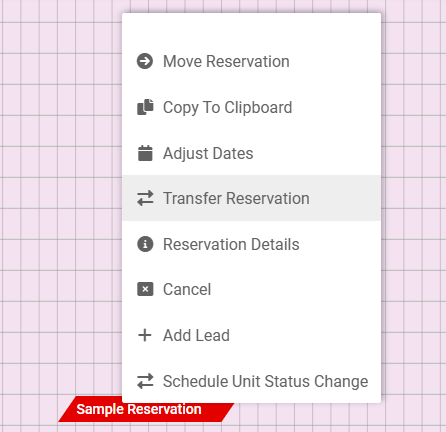
A Reservation may be Transferred at any point in the stay.
1. Single right click on the date of the Transfer within the Reservation
2. Verify/Change the Transfer Date, and select OK
3. Click on the Transfer Portion of the Reservation, and drag to the desired unit
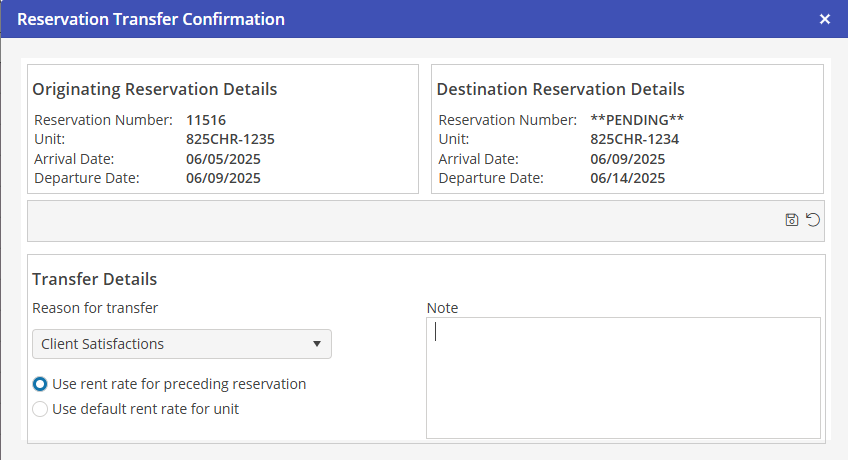
4. Reservation Transfer Confirmation window will populate. Verify that the details are correct.
5. Select the Reason for transfer from the dropdown menu
6. Chose either Use rent rate from preceding reservation or Use default rate for unit
7. Add a note if desired
8. Select  to apply the changes, or
  to undo changes
to apply the changes, or to undo changes