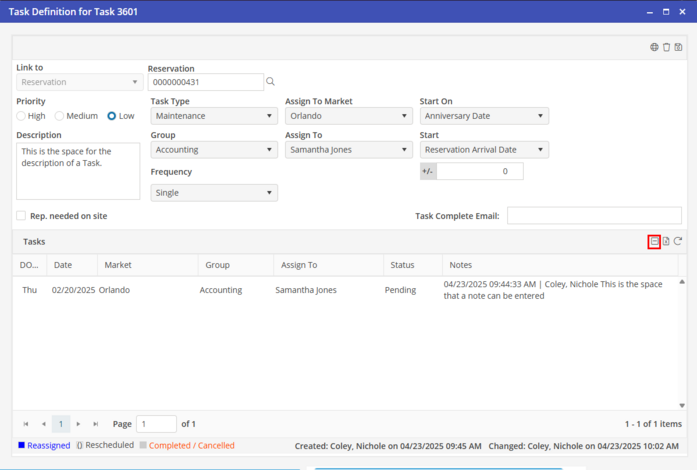
Notes
Add a Task Note
Notes can only be added in the task instance. Click the task instance to add a note. Click the new icon  . Add the details in the notes section, when finished, Click the OK button. User will need to then save the note that was added by clicking save in the upper right hand corner.
. Add the details in the notes section, when finished, Click the OK button. User will need to then save the note that was added by clicking save in the upper right hand corner. 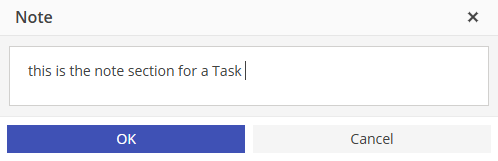
View Notes
To view all notes within the task definition screen, click  to show notes.
to show notes. 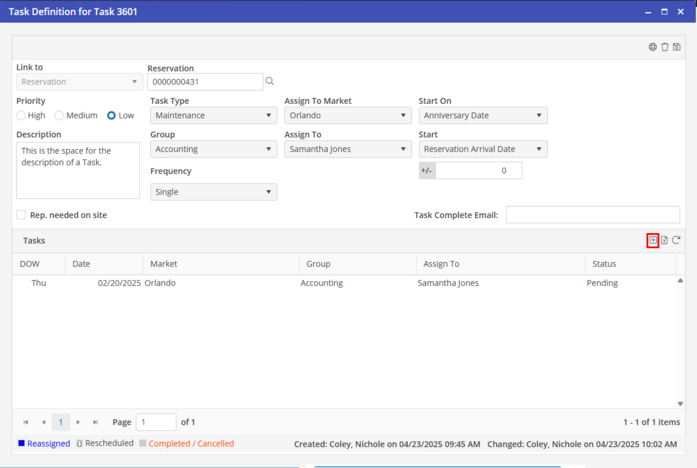
Hide Notes
This button will switch to  “Hide Notes” after the notes have been displayed.
“Hide Notes” after the notes have been displayed.